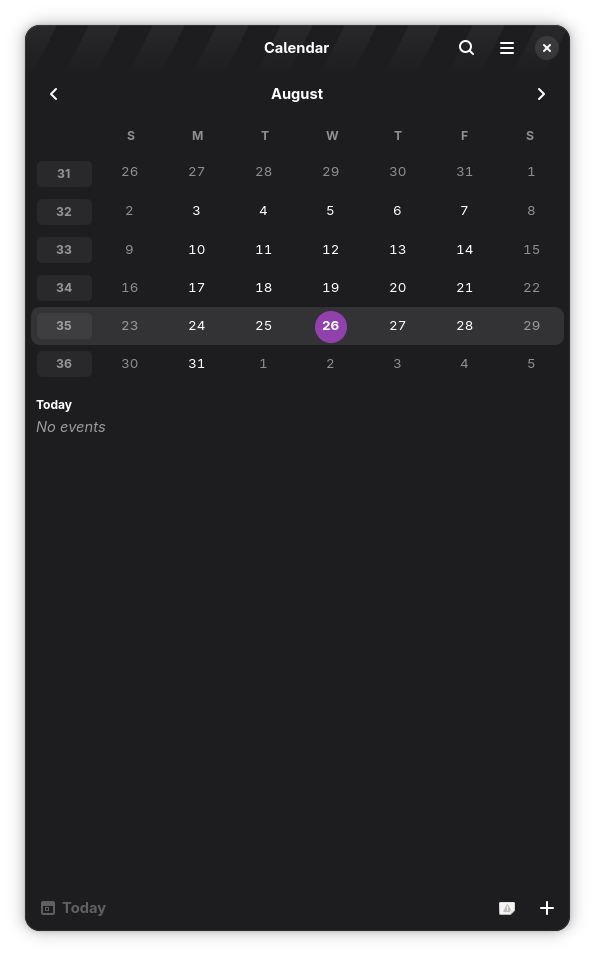
The other day, I had a problem.
I use GNOME Calendar quite a lot, and although it’s not quite on par with online tools like Google Calendar or even the iOS Calendar, it’s greatly improving every day, thanks to the nature of open source and the awesome contributors.
One issue that bugged me a lot, is that when you are creating a new event, you usually have a lot of calendars, and GNOME Calendar can be quite unintuitive when it comes to selecting the right one.
The base issue is that it doesn’t separate calendars by source, which can lead to confusion.
[Insert Image Here]
Cloning
To get started, I had to clone the GNOME Calendar repository from GNOME GitLab:
git clone [email protected]:GNOME/gnome-calendar.gitNote: apparently, this can be further simplified with
foundry clone gnome:gnome-calendar
In the past, I would have needed to open the application in GNOME Builder or VSCode to be able to build and run the application with flatpak.
However, foundry promises that I can do the same with just the CLI. This would mean I’d theoretically be able to build and run the application with just the CLI. This is amazing, since I use the [Zed Editor][zed], and it doesn’t support building and running applications with flatpak.
What is Foundry?
The creator of foundry describes it as a “tool aims to extract much of what makes GNOME Builder an IDE into a library and companion command-line tool.”.
In practice, this means you can run language servers, build systems, etc… in a CLI. Basically an IDE without the GUI.
Building and Running
To build and run the application with foundry, I can simply run the following commands:
foundry initThis creates a .foundry directory in the current directory. I usually run this command to ensure it’s never committed to the git repo.
echo "*" >> .foundry/.gitignoreSelecting the config
Usually foundry will auto-detect the way you build your application (it’s called the config). You can check the current configs with:
foundry config listMine prints:
ID                               Active  Can Default  Priority  Build System  Name
flatpak:org.gnome.Calendar.json  Yes     Yes          100       meson         org.gnome.Calendar.json
buildconfig:default              No      Yes          0                       default
I think you could use foundry config add --flatpak path/to/your/app.json if it’s not auto-detected.
Note: one issue is that you can’t run
foundry config add --helpand expect to see the help text. Maybe this can be worked on in the next version.
Building
I would have expected running foundry build to just work, but it gives this error:
Project does not contain an active SDKInteresting…
To fix this, I ran foundry sdk list and got a list of all the available SDKs:
ID                                                                Name                                               Arch    Kind       Active  End of Life  Installed  Extension
494aa38dcc2958e30e9c9671b6ad25ebaf7cb5f4a6e53b76f70934b94b83bd7e  alpine                                             x86_64  distrobox  No      No           Yes        No
8f8f79a03052fb2714f0ea0dffa03a6c8012d61614ee52a572352ec344723f71  fedora                                             x86_64  distrobox  No      No           Yes        No
b43b018589d226269eebc614717190934072bac11ca8402c0fda40c0f0209afd  arch                                               x86_64  distrobox  No      No           Yes        No
2a86e5fe8c026ddeba92b5fc0a7aced7ff69907995daaa1d282250f8a57c3e2d  mongo                                              x86_64  podman     No      No           Yes        No
21a0213cf6d6455a09147cefbd190dfbb95b379c07b2d88592283cfca8b9e52a  arch-waydroid                                      x86_64  distrobox  No      No           Yes        No
055e157c553825d0493a51cf4a5cf3e684c6d9d58ec85a1da71f4a0696d7daf1  echo_postgres_1                                    x86_64  podman     No      No           Yes        No
93ced2d53fe77016e986dfd616d63978d391b05b58fccb62b1aeb26cce74243d  echo_valkey_1                                      x86_64  podman     No      No           Yes        No
bca61df81aace8e3a70e1736829d1ad387936d34586689a3f16bd50e39edfc63  herbmadz-erp_rustfs_1                              x86_64  podman     No      No           Yes        No
no                                                                No SDK                                             x86_64  host       No      No           Yes        No
host                                                              My Computer                                        x86_64  host       No      No           Yes        No
org.freedesktop.Platform.VAAPI.Intel/x86_64/24.08                 org.freedesktop.Platform.VAAPI.Intel 24.08         x86_64  flatpak    No      No           Yes        No
org.freedesktop.Platform.VAAPI.Intel/x86_64/25.08                 org.freedesktop.Platform.VAAPI.Intel 25.08         x86_64  flatpak    No      No           Yes        No
org.freedesktop.Platform.codecs-extra/x86_64/25.08-extra          org.freedesktop.Platform.codecs-extra 25.08-extra  x86_64  flatpak    No      No           Yes        No
org.freedesktop.Platform/x86_64/24.08                             org.freedesktop.Platform 24.08                     x86_64  flatpak    No      No           Yes        No
org.freedesktop.Platform/x86_64/25.08                             org.freedesktop.Platform 25.08                     x86_64  flatpak    No      No           Yes        No
org.freedesktop.Sdk/x86_64/25.08                                  org.freedesktop.Sdk 25.08                          x86_64  flatpak    No      No           Yes        No
org.gnome.Platform/x86_64/48                                      org.gnome.Platform 48                              x86_64  flatpak    No      No           Yes        No
org.gnome.Platform/x86_64/49                                      org.gnome.Platform 49                              x86_64  flatpak    No      No           Yes        No
org.gnome.Sdk/x86_64/49                                           org.gnome.Sdk 49                                   x86_64  flatpak    No      No           Yes        No
It seems to include “SDKs” from various sources:
- distrobox containers I had created earlier
- podman containers
- flatpak runtimes
- running directly on the host
Since I’m building from the main branch of gnome-calendar, this means I will be needing the
master version of the GNOME SDK (you can check in build-aux/org.gnome.Calendar.json):
{
    "app-id" : "org.gnome.Calendar.Devel",
    "runtime" : "org.gnome.Platform",
    "runtime-version" : "master",
    "sdk" : "org.gnome.Sdk",
    "command" : "gnome-calendar",
    ...
The foundry docs mention that it should be possible to do this: foundry sdk install org.gnome.Sdk//master
but it spews an error:
No such sdk "org.gnome.Sdk//master"Instead, I installed the SDK with the flatpak tool:
flatpak install gnome-nightly org.gnome.Sdk//masterRunning foundry sdk list again now mentions it, and I can it gets automatically selected.
Now, I can finally build the app:
foundry buildWhich fetches lots of the sources mentioned in the org.gnome.Calendar.json file, and then finally fails with:
Stopping at module gnome-calendar
error: org.gnome.Platform/x86_64/master not installed
Failed to init: Unable to find runtime org.gnome.Platform version master
Child process exited with code 1
Which I solved with:
flatpak install gnome-nightly org.gnome.Platform//masterRunning foundry build again now succeeds. It will build all sources, then the app, so it will take quite some time the first time.
The nice thing is that when done, it won’t need to be rebuilt again, as the sources are cached.
Running
foundry runTada!